
Transformify
v1.0.0
Transformify Studio
Transformify Marketplace
Transformify Partner Program
Title
Message
Create new category
What is the title of your new category?
Edit page index title
What is the title of the page index?
Edit category
What is the new title of your category?
Edit link
What is the new title and URL of your link?
Organization activity logs
Copy Markdown
Open in ChatGPT
Open in Claude
The activity log represents records for the most relevant events related to your organization. In this section, the organization Owner and Admin can preview all event logs from every organization member.
Click Organization, and then the Activity Logs button from the left-side menu to preview these log events.
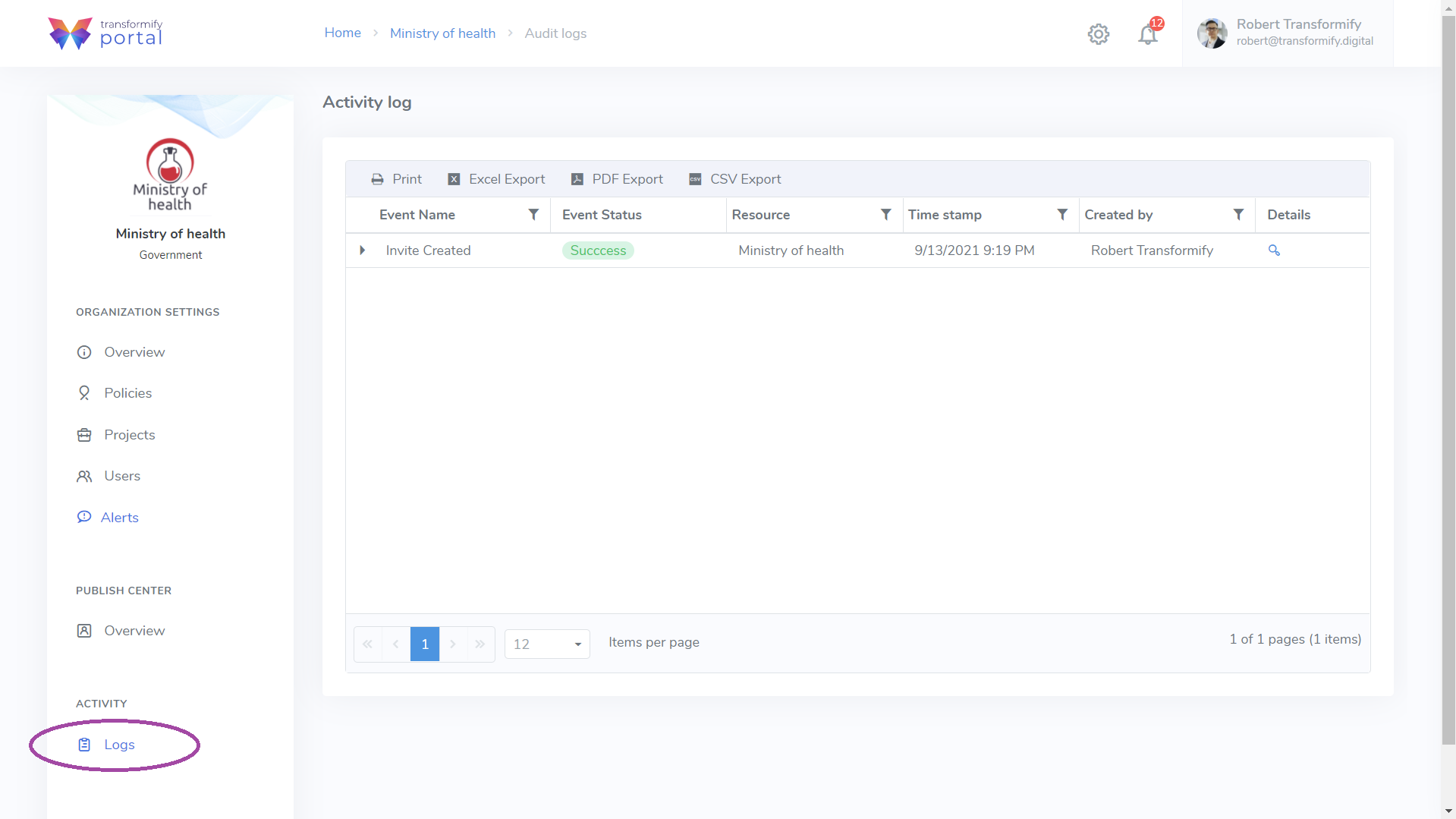
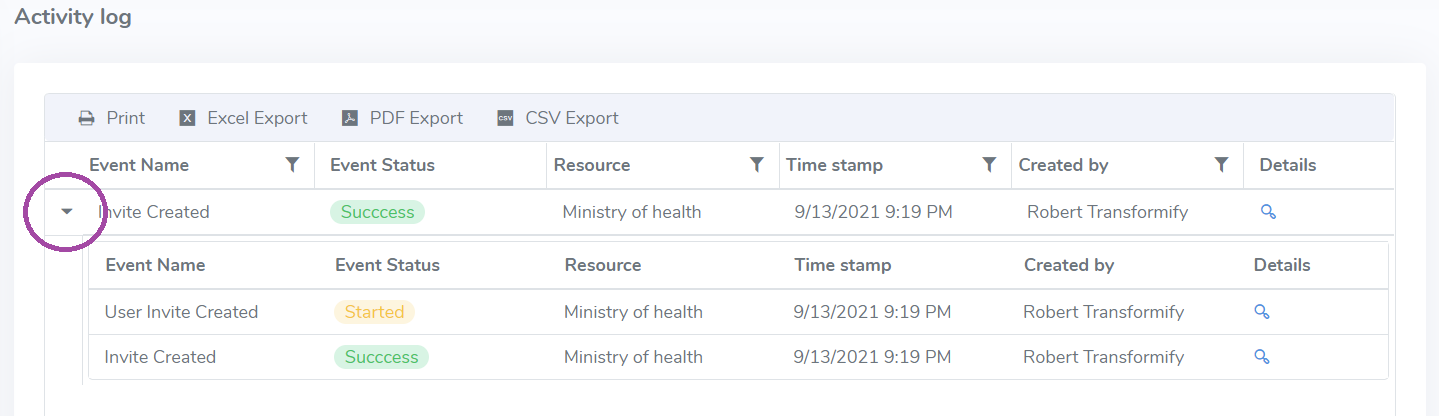
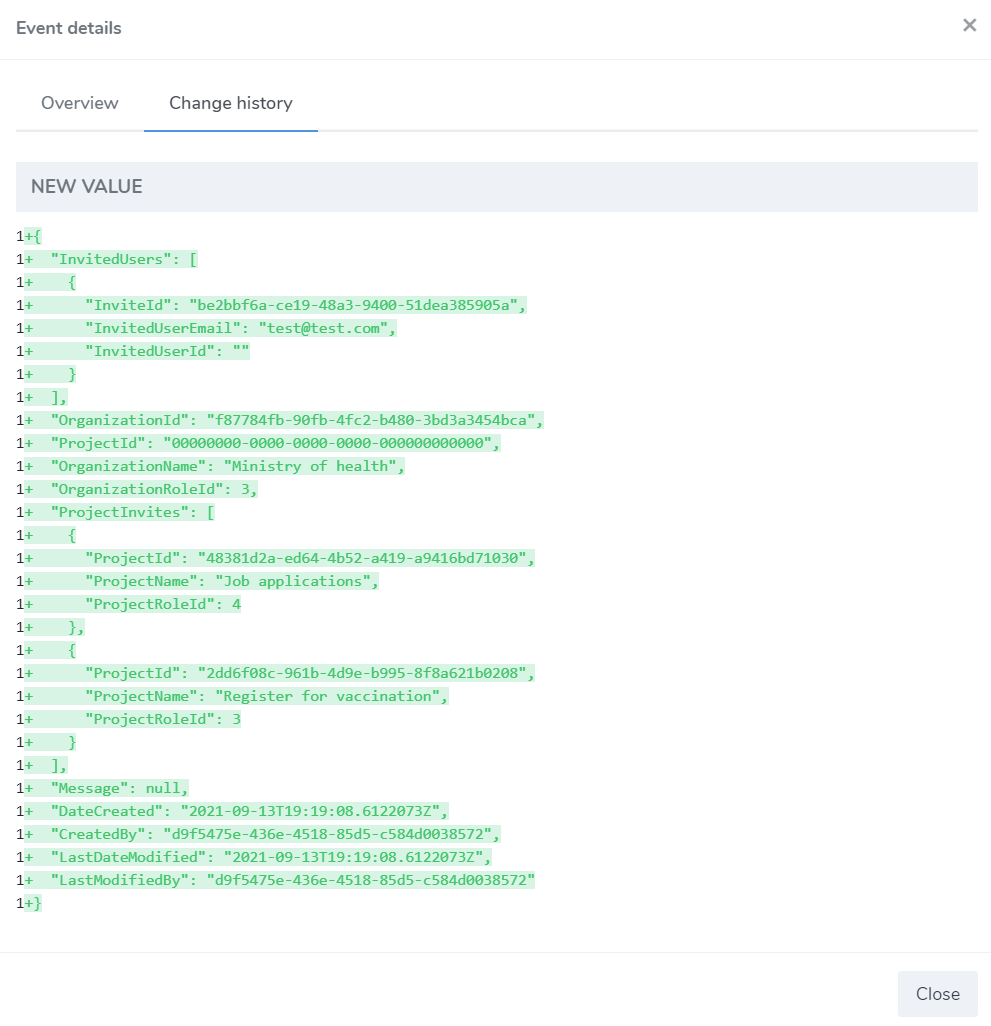
Click on the arrow on the left side next to the Event name to see the short version of the event log or on the magnifying glass icon to open a more detailed Overview or Change history in JSON format.
To further analyze the activity logs from all organization members, you can print or export them in excel, PDF, or CSV file format on your local device. The action buttons are located on the top of the data grid table.


Type to search, ESC to discard
Last updated on Sep 13, 2021
Next to read:
PROJECTDiscard Changes
Do you want to discard your current changes and overwrite with the template?
Archive Synced Block
Message
Create new Template
What is this template's title?
Delete Template
Message